
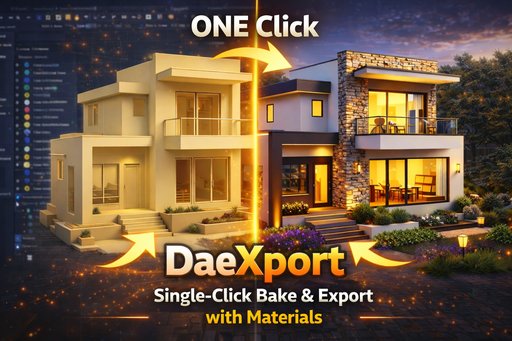
daeXport
One-Click DAE (Collada) Export with Automatic Texture Baking and UV Optimization.
Product Video
One-Click DAE (Collada) Export
daeXport is a Blender addon that simplifies exporting 3D models to DAE (Collada) format with automatic texture baking and UV optimization.
Who Is This For?
- Game Developers creating assets for engines that support Collada
- 3D Artists exchanging models between different software
- Architects & Visualization Professionals sharing 3D content
- AR/VR Developers preparing models for immersive experiences
- Educators & Students learning 3D content creation workflows
- Indie Developers needing cross-platform 3D assets
What Does It Do?
daeXport takes your Blender scene with multiple single-material objects and:
- Combines multiple single-material objects into a single mesh
- Bakes all object textures into one unified texture atlas
- Optimizes UVs to prevent texture bleeding
- Exports to DAE format with embedded material and texture references
- Preserves polygon topology (quads and n-gons intact)
The result is a clean, single-texture DAE file ready for use anywhere.
Key Features
One-Click Export
Combines multiple single-material objects, bakes all textures, and exports to DAE in a single click.
Universal Texture Atlas
Bakes all single-material objects into a single unified texture atlas.
UV Optimization
Optimizes UVs to prevent texture bleeding with configurable margins.
Topology Preservation
Preserves polygon topology (quads and n-gons intact).
Blender 5.0+ Ready
Includes a custom Collada exporter for Blender 5.0+, ensuring compatibility.
Cross-Platform
Works with Game Engines, AR/VR Platforms, CAD software, and Web frameworks.
Documentation
Installation
- Download the addon as a ZIP file
- In Blender, go to Edit > Preferences > Add-ons
- Click Install and select the ZIP file
- Enable the addon by checking the box
How To Use
- Select the single-material objects you want to export
- Open the sidebar panel (View3D > Sidebar > daeXport)
- Configure your export settings:
- Collection Name (optional suffix for organized output)
- Texture Resolution (512 to 8192 pixels)
- Enable Baking (Toggle baking functionality)
- Apply Modifiers (bake modifiers into mesh)
- UV Margin (padding between UV islands)
- Click "BAKE & EXPORT DAE"
- Done! Your files are saved and the folder opens automatically
Output Files
After export, you'll find:
daeXport_{CollectionName}/
└── dae/
    ├── {filename}.dae          - The Collada 3D file
    └── {filename}_texture.jpg  - Baked texture atlas
Tips for Best Results
- Single Material per Object: For best results, ensure each selected object has only one material assigned before baking into a shared texture atlas
- Save your Blend file before exporting (required)
- Higher texture resolution = better quality but larger file size
- Enable alpha only if your model has transparent materials
- UV Margin prevents texture bleeding at UV seams
Blender 5.0 Compatibility
In Blender 5.0, the built-in Collada exporter was removed. daeXport includes a custom Collada exporter that works perfectly in Blender 5.0+, ensuring you can still export DAE files without any additional plugins.
Requirements
- Blender 3.0 or higher (including Blender 5.0)
- Cycles render engine (for texture baking)
Compatible Software
DAE files from daeXport work with:
Game Engines: Unity, Unreal Engine, Godot, Amazon Lumberyard, CryEngine, Panda3D
3D Modeling & Animation: Autodesk Maya, 3ds Max, Cinema 4D, SketchUp, Modo, DAZ Studio
AR/VR Platforms: Apple Reality Composer, Vuforia, ARCore, ARKit, A-Frame (Web VR)
CAD & Architecture: SketchUp, Rhino 3D, ArchiCAD, Sweet Home 3D, Vectorworks
Visualization: KeyShot, V-Ray, Marmoset Toolbag, iClone
Web & Development: Three.js, Babylon.js, Away3D, OpenSceneGraph
Other: Adobe Dimension, Substance Painter, Mixamo, MeshLab, Assimp
DAE (Collada) Format - Why Use It?
The Collada format is an open standard for 3D content exchange.
Advantages
- Open Standard - Managed by Khronos Group
- XML-Based - Human-readable and easily parsed
- Rich Feature Set - Supports geometry, materials, animations, physics
- Cross-Platform - Works across different operating systems
- Industry Adoption - Widely used in game development and AR/VR
Credits
Developed by Arun C - Digibee.in
© 2026 All Rights Reserved
Changelog
- Major Enhancement: Implemented "Multi-Object Bin Packing" for UVs. Now packs UV islands of multiple objects into a single shared atlas without joining them first. Preserves relative scale and optimizes UV space usage more effectively.
- Workflow Upgrade: Switched to a Sequential Baking pipeline. Bakes objects one by one into the shared texture map. Improved stability and memory usage compared to joining massive meshes before baking.
- Fixes: Resolved "No valid selected objects" error during bake by explicitly managing selection states.
- Fixes: Added safeguards to ensure valid material targets exist before baking.
- Fixes: Fixed N-Panel title to dynamically display the correct addon version.
- Initial Release: One-click DAE export with automatic texture baking.
- Multi-material object combination into single mesh.
- UV optimization and packing.
- Custom Collada exporter for Blender 5.0+ compatibility.
Quick Start
Select Objects
Select the objects you want to export.
Open Panel
Open View3D > Sidebar > daeXport.
Configure & Export
Set options (Name, Resolution, Baking) and click 'BAKE & EXPORT DAE'.
Done
Files are saved and the folder opens automatically.
Frequently Asked Questions
?Does daeXport modify my original objects?
No. daeXport creates temporary copies of your objects to perform joining, UV packing, and baking. Your original scene remains completely intact.
?Does it work with Blender 5.0?
Yes. daeXport includes a custom Collada exporter that works in Blender 5.0+ since the built-in Collada exporter was removed.
?What texture formats are supported?
daeXport bakes all materials into a single JPEG texture atlas. The resolution is configurable from 512 to 8192 pixels.
?Can I export multiple objects at once?
Yes. Select all single-material objects you want to export, and daeXport will combine them into a single mesh with a unified texture atlas.
?Does baking work with multiple materials on a single object?
For optimal baking results, each selected object should have a single material assigned. Selecting multiple single-material objects will bake them together into one unified texture atlas.
?Where are the exported files saved?
Files are saved in a folder named daeXport_{CollectionName} in the same directory as your .blend file. The folder opens automatically after export.