
ObjXport
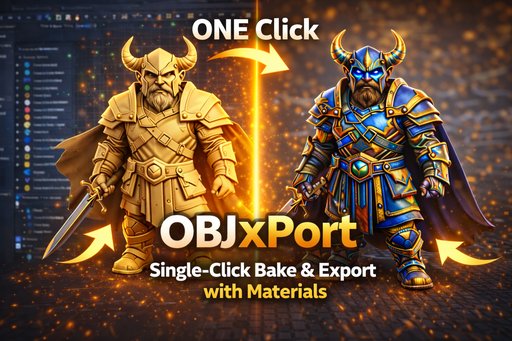
One-Click OBJ Export with Automatic Texture Baking and Optimization.
One-Click OBJ Export
ObjXport is a Blender addon that simplifies exporting 3D models to OBJ format with automatic texture baking and UV optimization.
Why Use ObjXport?
It simplifies the entire process by:
- Combining multiple objects into a single mesh
- Baking all textures into a unified atlas
- Optimizing UVs to prevent bleeding
- Exporting a clean OBJ file with material definitions
Who Is This For?
This tool is ideal for 3D Artists, Game Developers, and Architects who need a fast, reliable way to convert complex Blender scenes into universally compatible OBJ files for use in other software or game engines.
Key Features
One-Click Workflow
Simplified process: Select objects, configure, and click 'BAKE & EXPORT OBJ'.
Texture Baking
Bakes all materials into a unified atlas with configurable resolution.
UV Optimization
Smart UV packing prevents bleeding and optimizes texture space usage.
Standard OBJ/MTL
Exports industry-standard OBJ files with accompanying material definitions.
Game Engine Ready
Optional triangulation and transparency support for game engines.
Universal Compatibility
Files work in Maya, Max, Unity, Unreal, and almost all 3D software.
Documentation
Installation
- Download the addon as a ZIP file
- In Blender, go to Edit > Preferences > Add-ons
- Click Install and select the ZIP file
- Enable the addon by checking the box
How To Use
- Select the objects you want to export
- Open the sidebar panel (View3D > Sidebar > ObjXport)
- Configure export settings:
- Texture Resolution
- Collection Name
- Triangulation (optional)
- Click "BAKE & EXPORT OBJ"
- Done! The folder with your files will open automatically
Output Files
After export, you'll find a folder ObjXport_{CollectionName} containing:
{filename}.obj: The 3D mesh{filename}.mtl: Material definitions{filename}_texture.jpg: Baked texture atlas
Tips for Best Results
- Save your Blend file before exporting
- Higher texture resolution yields better quality but larger files
- Use triangulation if targeting game engines
- Enable alpha only for transparent materials
Changelog
- Initial release of ObjXport.
- Added one-click OBJ export with texture baking.
- Implemented smart UV optimization.
- Added support for material (.mtl) file generation.
- Included options for triangulation and alpha transparency.
Quick Start
Select Objects
Select the meshes you want to export in the viewport.
Open Panel
Go to Sidebar > ObjXport tab.
Export
Configure resolution and click 'BAKE & EXPORT OBJ'.
Result
Your OBJ, MTL, and texture files are ready for use.